Tapo RV50 Pro Omni Review: A Self-Servicing Robot That Gets Close to Machines Twice Its Price
I ran the Tapo RV50 Pro Omni across my marble floors for this review. It empties itself, washes and dries its own mops, and manages its own water — getting remarkably close to a robot I own that cost around twice as much. The catch is the mopping noise, not the cleaning.
Published August 26, 2026
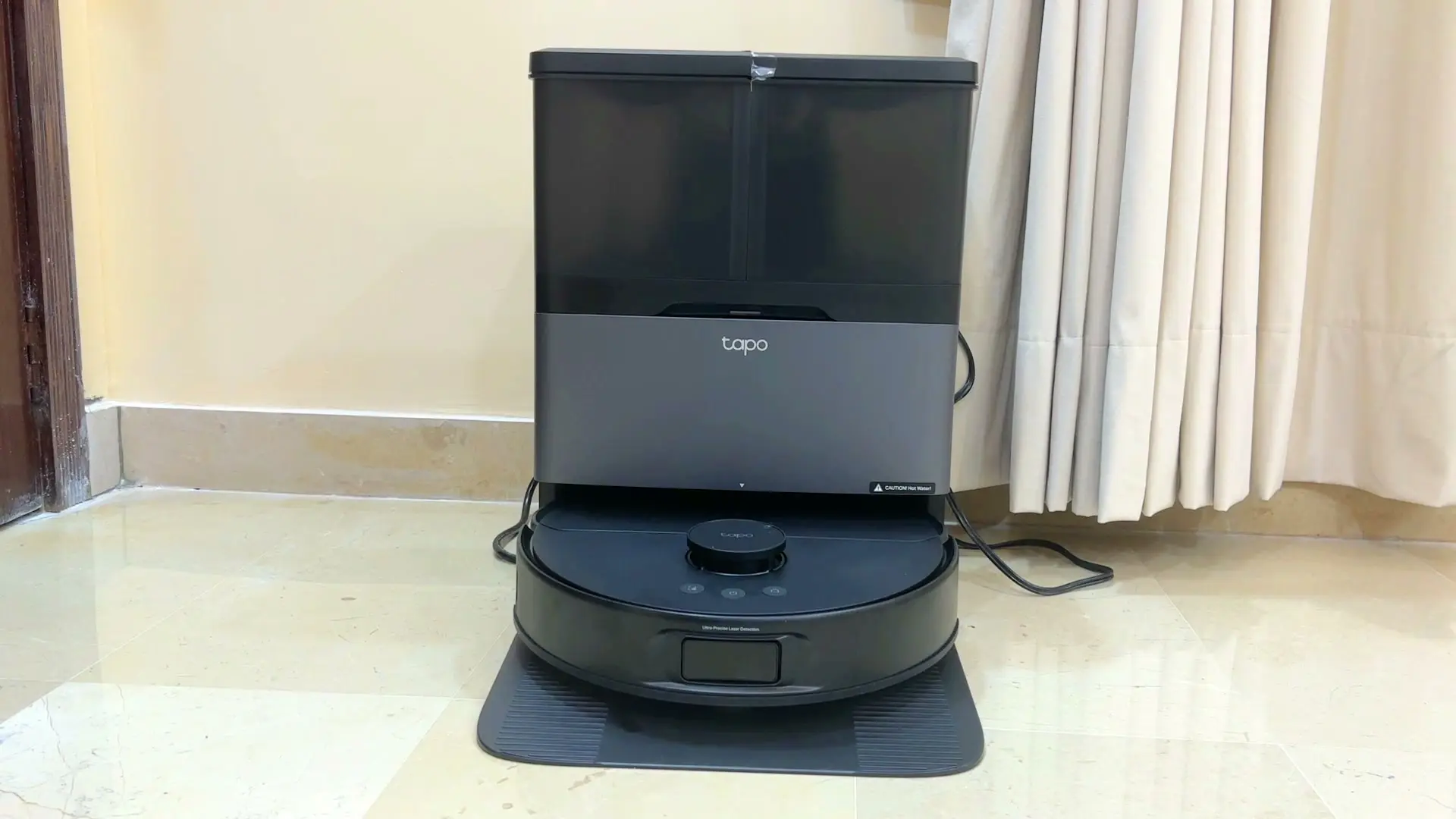
Tested context
Tested firsthand on all-marble hard floors in my home, using mostly the default settings and the combined vacuum-and-mop mode. I covered unboxing and dock setup, the Tapo app and mapping, everyday cleaning and edge performance, navigation around furniture and an open staircase, the anti-tangle roller, battery on a full first floor, and the noise while mopping. I did not test it on carpet, did not run a controlled suction or battery benchmark, did not do long-hair or pet-tangle testing (no pets here), and did not test Matter, Alexa, or Google Home — so I leave those out of my verdict. This is a hands-on review, not a long-term durability verdict.
Verdict
At $599.99, the Tapo RV50 Pro Omni gives you a genuinely complete automatic-cleaning setup: auto-emptying, hot-water mop washing, warm-air drying, water management, a detergent system, mops the robot drops and collects on its own, polished navigation, and one of the smoothest apps and first-time setups I have used. I own a robot that cost around $1,400, and this gets remarkably close to that feature set for far less. It makes real compromises — the spinning mops wipe flat rather than pressing down to scrub, so a dried-on mark isn't its strength; the 15,000 Pa suction is not the highest in the category; and the mopping mechanism is louder than I expected. But for normal hard-floor cleaning in my home it did what it promised, and for the money it is one of the better-value options to look at — as long as the mopping noise doesn't bother you and you protect any open stair edges.
Pros
- Self-servicing dock does the work: auto-empties, washes the mops with hot water, and dries them with warm air — plus 5L clean, 4L dirty, and a 3L dust bag hidden inside
- Magnetic mop pads the robot drops at the dock when it only needs to vacuum, then picks up again — a genuinely useful touch
- One of the smoothest first-time setups I've seen: clear animations, real photos of the buttons, and countdowns for each step
- Polished app with multi-map, rooms, zones, no-go areas, Perfect Fit, and voice prompts so you're not stuck watching an app
- Handled everyday cleaning on my marble floors well, with good edge cleaning down to about a finger's width on long walls
Cons
- The mopping is the noisy part — I could hear the rotating mops and the extend/retract mechanism from another room with the door closed
- Open stairs are a risk to plan around — I didn't want to test the drop sensors on my open staircase, so I blocked it physically and drew an app virtual wall / no-go zone as well
- The spinning mops wipe flat rather than pressing down to scrub, so they lift everyday film but aren't built to dig into a dried-on mark
- 15,000 Pa suction is good for hard-floor upkeep but not the highest figure in the category
I have used quite a few robot vacuums in my home, and after running the Tapo RV50 Pro Omni across my marble floors, the thing that stuck with me is how little it needs you. It empties itself, washes and dries its own mops, manages its own water, and even drops the mops at the dock when it only needs to vacuum. At $599.99 it gets remarkably close to a robot I own that cost around twice as much — and the one real annoyance isn't the cleaning, it's the noise while it mops.
It arrived in one of the biggest boxes I have ever seen for a robot vacuum. Most of it comes assembled: you set the robot in the dock, fit the base plate, snap on the magnetic mop pads, and you're ready. You can watch the full video review to see it running, but here is how living with it actually went.
I also compared it with two other Tapo smart home gadgets in this three-product video.
Design and the dock that does the work
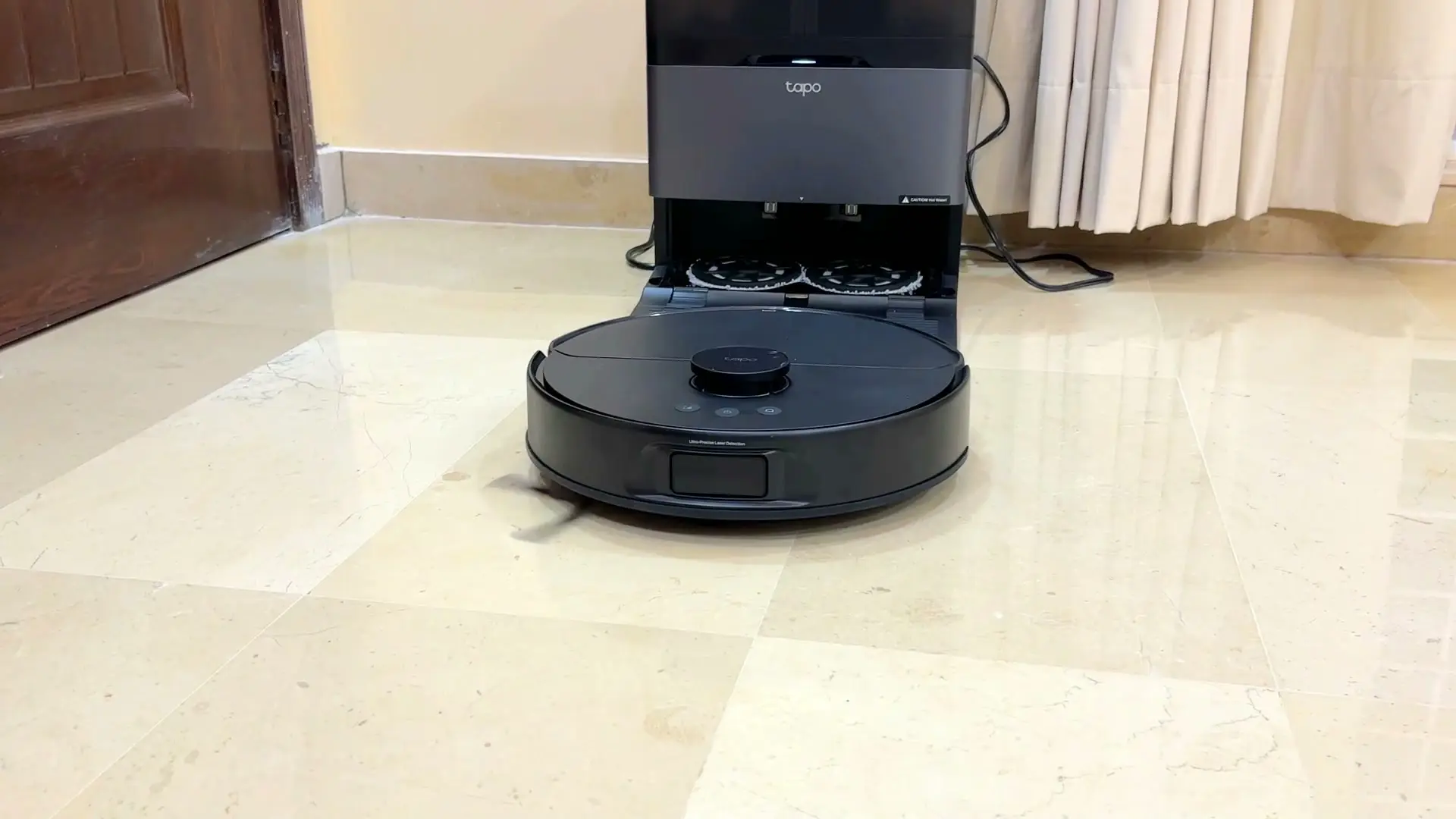
Design-wise this is a very good-looking machine. The robot has a glossy black finish with a shiny LiDAR circle on top, and the dock carries a subtle grey accent against the black body. Because all the tanks and bags are hidden inside, it never looks messy sitting in a room — it just looks premium.
The dock is where most of the value is. It holds a five-litre clean-water tank, a four-litre dirty-water tank, and a three-litre dust bag, plus a cleaning-solution bottle that plugs straight in. After a run the robot returns on its own to empty its bin, wash the mops with hot water, and dry them with warm air, then heads back out to keep going. My favourite detail is the mop system: the pads are magnetic and easy to fit by hand, but the robot can also leave them at the dock when it only needs to vacuum and collect them again when it doesn't. That little back-and-forth is surprisingly satisfying to watch, and it means the mops aren't dragging around when there's no reason for them to be.
Setup and the app
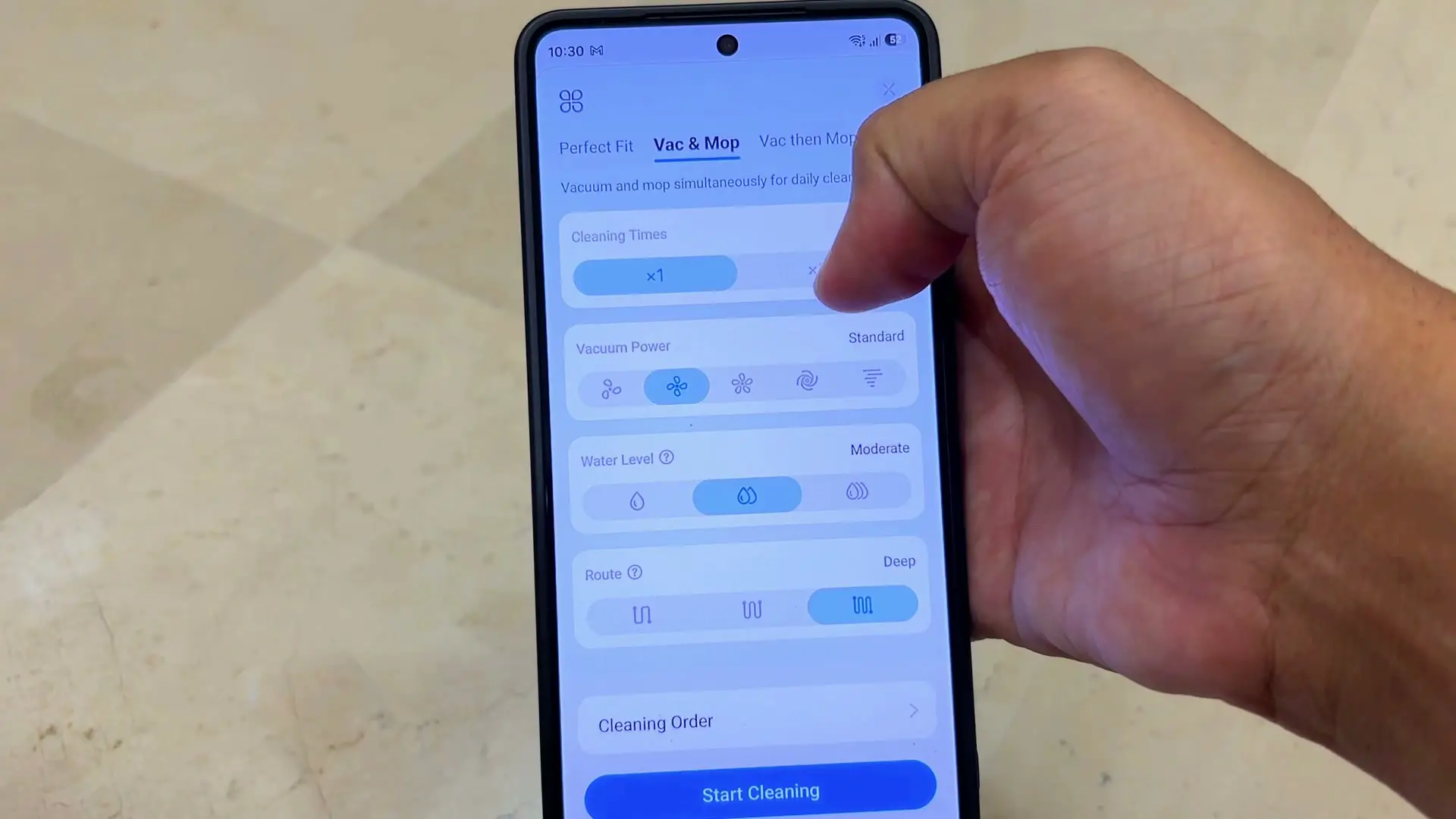
Setting it up was one of the smoothest first-time experiences I have had with any smart-home product. The Tapo app uses clear animations, real photos of the buttons, and countdowns that show exactly what to press and for how long — nothing felt confusing, including the firmware update.
Once it's on your Wi-Fi it maps the floor and hands you a clean plan to work with. You can save and name multiple maps, manage rooms, create zones and no-go areas, and pick how each area gets cleaned. There's a Perfect Fit mode that decides the method for itself, or you can choose vacuuming, mopping, or both and then set the water level, suction, and how many passes it makes. I mostly stayed on the defaults and the combined vacuum-and-mop mode. It also gives voice prompts when it starts charging, washes the mops, or changes what it's doing — which matters, because not everyone wants to open an app just to know why the robot has gone back to the dock. I did not test Matter, Alexa, or Google Home, so I'm leaving those integrations out of my verdict.
Cleaning on marble floors
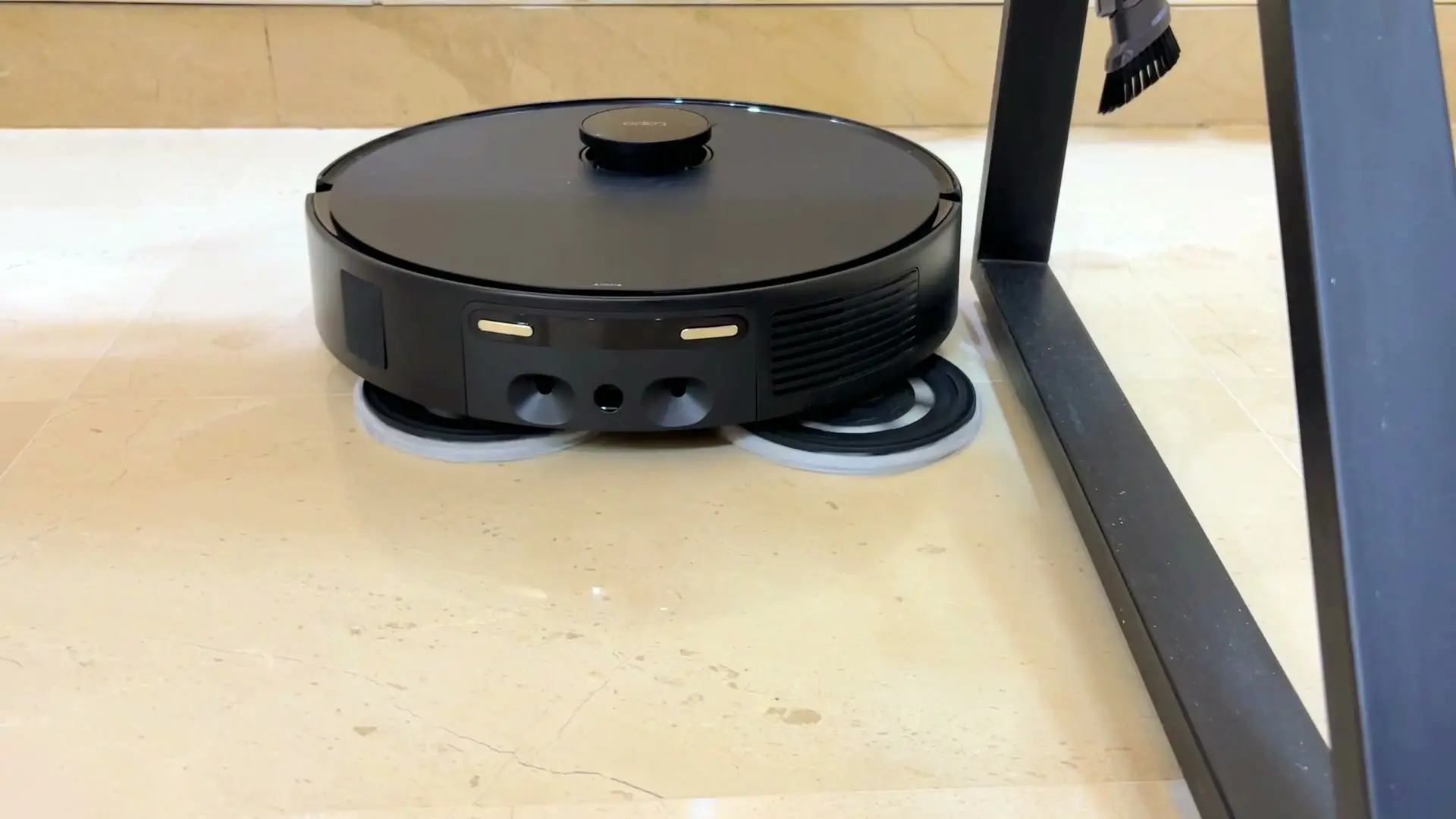
My home is all marble, so that's the use case I tested. The floors weren't heavily dirty, but compared with other robots I've used it handled normal day-to-day cleaning well. It has 15,000 Pa of suction, and for this kind of hard-floor upkeep that's enough — I didn't notice it leaving obvious debris on the standard setting.
Edge cleaning was good on longer walls. The mop extends outward, and on those long edges it came within about a finger's width of the wall. Corners are still the limitation, as they are with every round robot I've used, because the mop can't reach into the pointed end of a corner. On shorter edges the extending mop also leaves small gaps as it moves in and out. So it's better at long edges than exact corners — but it performed as well as I'd expect in this category, and Perfect Fit only did a single pass in my home, probably because the floors were already clean.
Navigation and the open-stairs warning
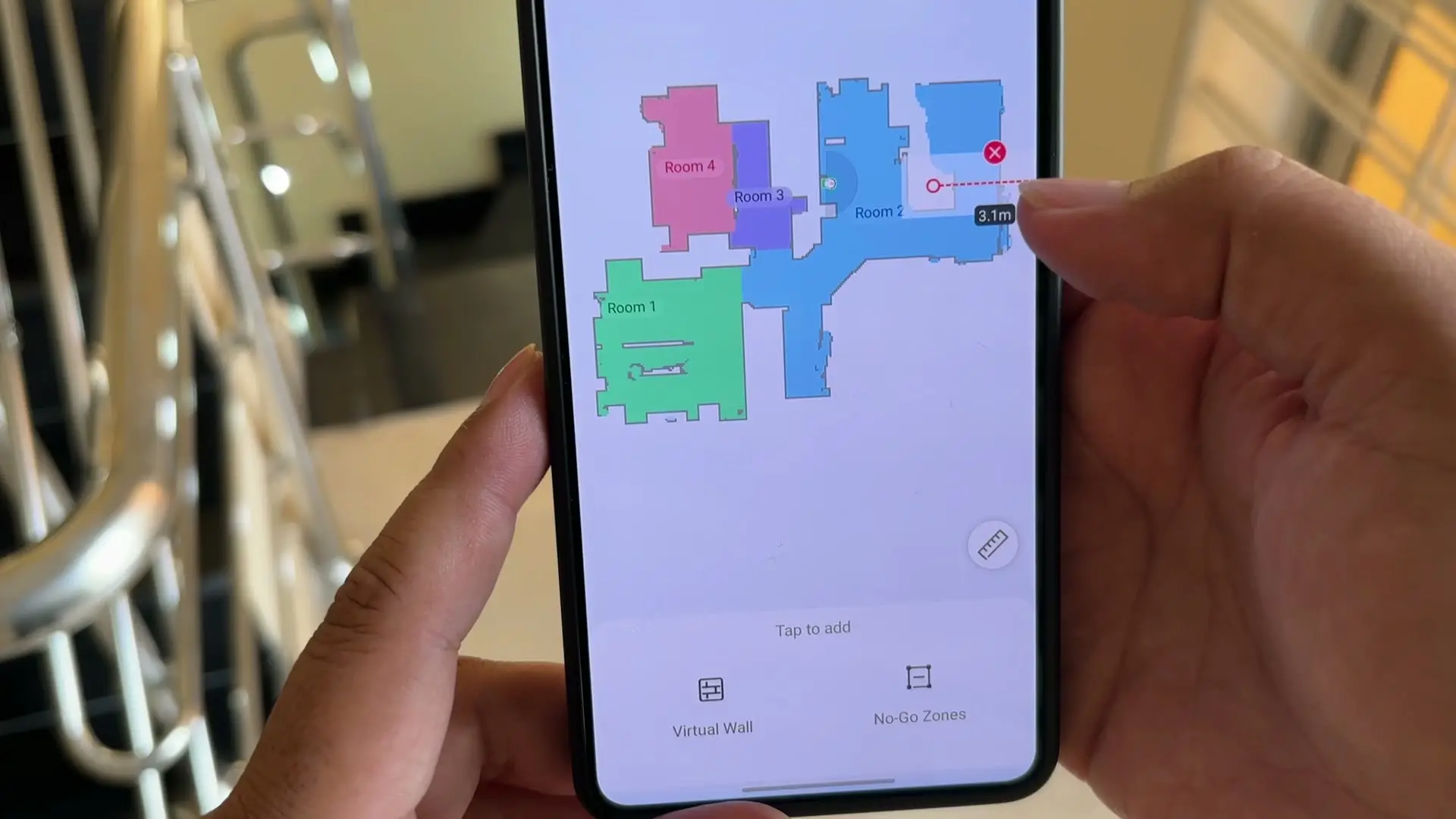
Navigation was good in my home. It avoided curtains, shoes, and cables without giving me any trouble. But there's one thing to plan around if you have an open staircase or another raised edge. The robot has drop sensors meant to stop it going over an edge, but dark or reflective stair nosings are the classic case where that kind of sensor can be fooled, and I wasn't willing to gamble my open stairs on it. So rather than find out the hard way, I placed physical obstacles in front of the stairs and drew a virtual wall in the app as well — the map lets you drop virtual walls and no-go zones for exactly this. I plan to use it on my first floor, which has open stairs, so for that kind of home I'd protect the stair edge rather than trust the sensors alone.
The anti-tangle roller and battery
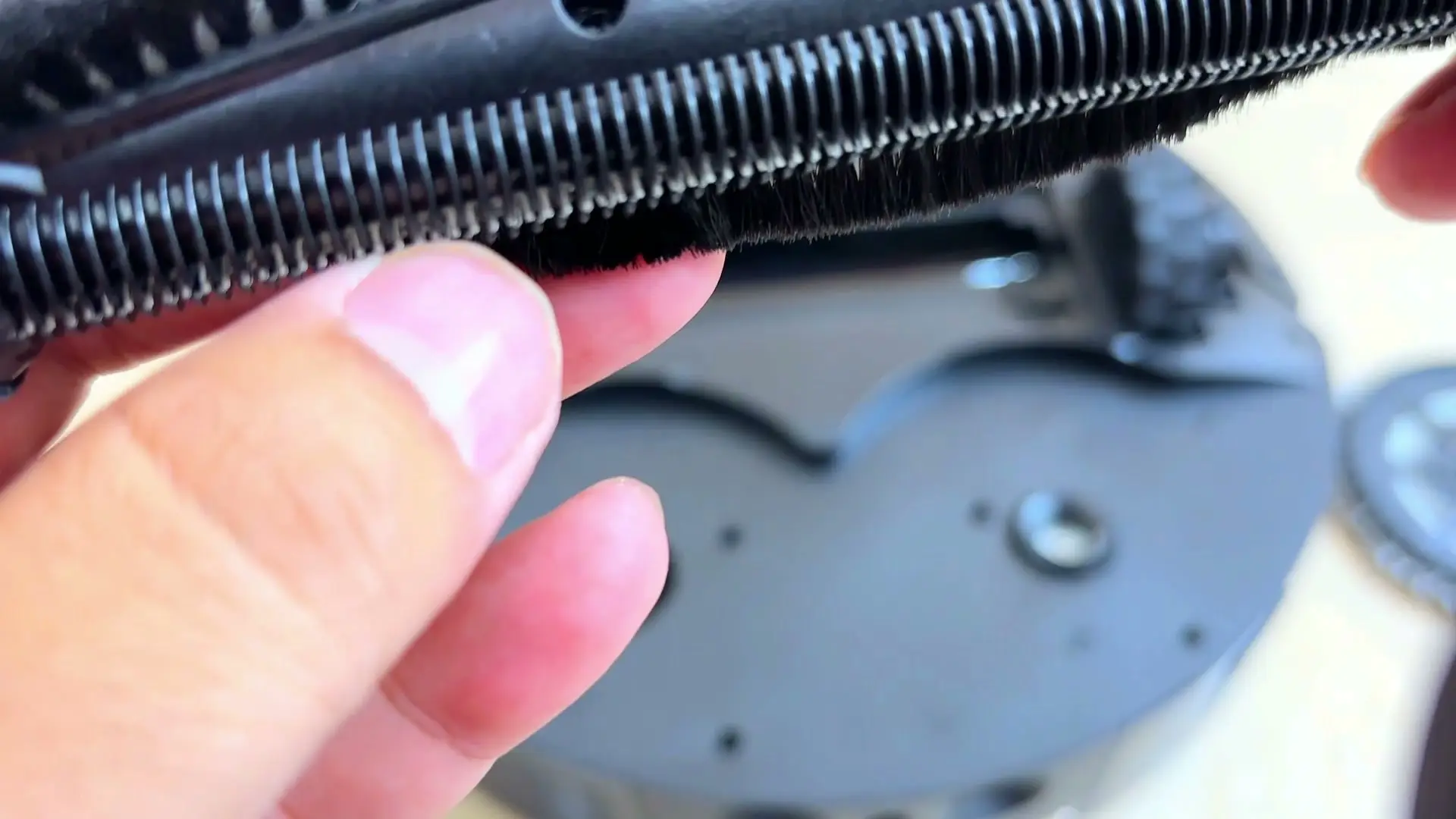
I don't have pets or a lot of long hair here, so I can't give you a proper real-world hair-tangle verdict. But I removed the main roller to inspect it, and up close you can see a comb of fine teeth running alongside the bristles, clearly designed to strip and cut wrapped hair off the brush rather than let it wind up. I'd still want a long-term pet-hair test before making a bigger claim about it.
Battery was never a concern. It finished my entire first floor with around 70 percent left, and because it manages its own sessions — returning to wash the mops or refill water and then carrying on — I never had to babysit it to the end of a job.
Noise and living with it
The main annoyance for me wasn't the vacuum. It was the noise while mopping. You can hear the rotating mops, and you can also hear the mechanism as it extends and retracts them. When it was cleaning the hallway I could still hear it from another room with the door closed. So if you want a completely silent mopping session, this isn't that robot.
Everything else felt premium. In my limited testing I noticed no odour from the pads and no residue in the tray, though I didn't use the included cleaning solution because I avoid cleaners on my marble. I also haven't lived with it long enough to judge long-term reliability, consumable cost, or how the dock behaves after months of use.
The verdict
So where does that leave the Tapo RV50 Pro Omni? At $599.99 it gives you a very complete automatic-cleaning setup: auto-emptying, hot-water mop washing, warm-air drying, water management, a detergent system, removable mops the robot drops and collects on its own, polished navigation, and a polished app. I've used a robot vacuum that cost around $1,400, and this gets remarkably close to that overall feature set for far less money.
It does make some compromises — the spinning mops wipe flat rather than pressing down to scrub a stuck-on mark, the mopping is louder than I expected, and the 15,000 Pa figure isn't at the very top of the category. But for normal hard-floor cleaning in my home, it did what it promised. If you want a premium-looking, easy-to-use robot that can empty itself, wash its own mops, manage its own water, and set the mops aside when it doesn't need them, this is one of the better-value options to look at. Just keep the mopping noise in mind, protect any open stair edges, and don't treat this as a long-term durability verdict yet.
Where to buy
This article contains affiliate links. If you buy through them, I may earn a commission at no extra cost to you.
Is this for you?
Who it’s for
People with mostly hard floors — especially marble or tile — who want a premium-looking robot that runs itself: empties its own bin, washes and dries its own mops, refills and manages its own water, and drops the mops when it's only vacuuming, all for well under flagship money.
Who should skip it
Skip it if you want a silent mopping session — the mopping noise carries through a closed door. Be cautious if your home has open stairs or raised edges and you can't block them, and look elsewhere if you specifically need mops that press down and scrub, or the very highest suction figure in the category. This is also not a long-term durability or pet-hair verdict yet.
Price & comparison
$599.99 in the US at the time of this review.
Price as observed 2026-08-26; may have changed since.
Watch the review
Open on YouTubeDisclosure
Hero and evidence images are original Tech With RR footage, captured firsthand during hands-on testing of the Tapo RV50 Pro Omni on my marble floors.
This review contains an affiliate link. See our affiliate disclosure for details.