Comu Action Pro review: Useful OLED controls, uneven AI
I recorded app ideas at home with the Comu Action Pro on its free Starter plan. The OLED feedback and useful summaries won me over, but manual transcription and a hit-and-miss AI button need work.
Published October 12, 2026
Tested context
English recordings of app ideas and project notes at home, using the free Starter plan. No noisy-environment, translation or paid-model testing.
Verdict
I liked the comfortable hardware, visible recording feedback and useful summaries on Starter. I would recommend it for regularly capturing ideas, with the manual transcription step and uneven AI-button experience as the main trade-offs.
Pros
- OLED timer, recording status and Saved confirmation make capture easy to follow
- Clicky controls, comfortable rounded edges and a solid, lightweight feel
- Smooth phone pairing and useful summaries for my indoor English recordings
- USB-C charging and audio export
Cons
- I had to manually request transcription in the app
- AI-button requests sometimes stayed on Receiving
- Some deeper insight and action options showed Premium prompts on Starter
The Comu Action Pro won me over with its OLED screen and clear recording controls, while the AI button and transcription workflow still need work. For recording app ideas and project notes at home, the audio and summaries on the free Starter plan were good enough for me.
The screen is my favorite part
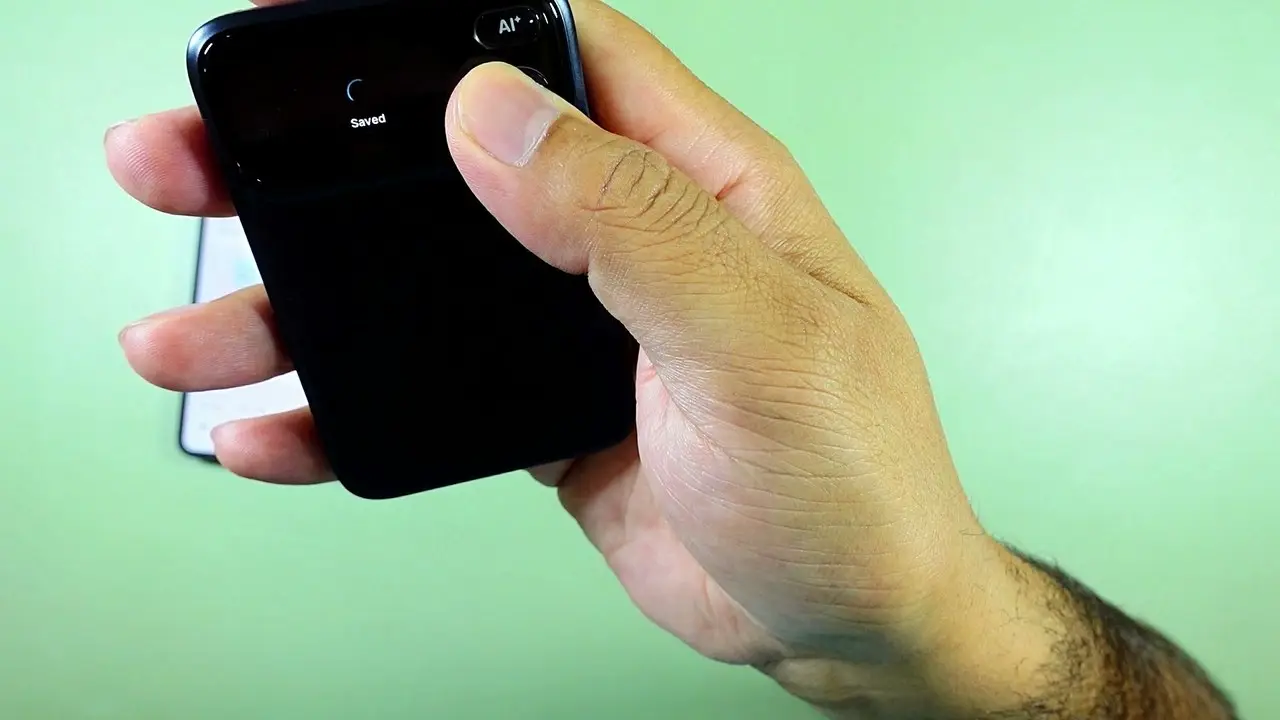
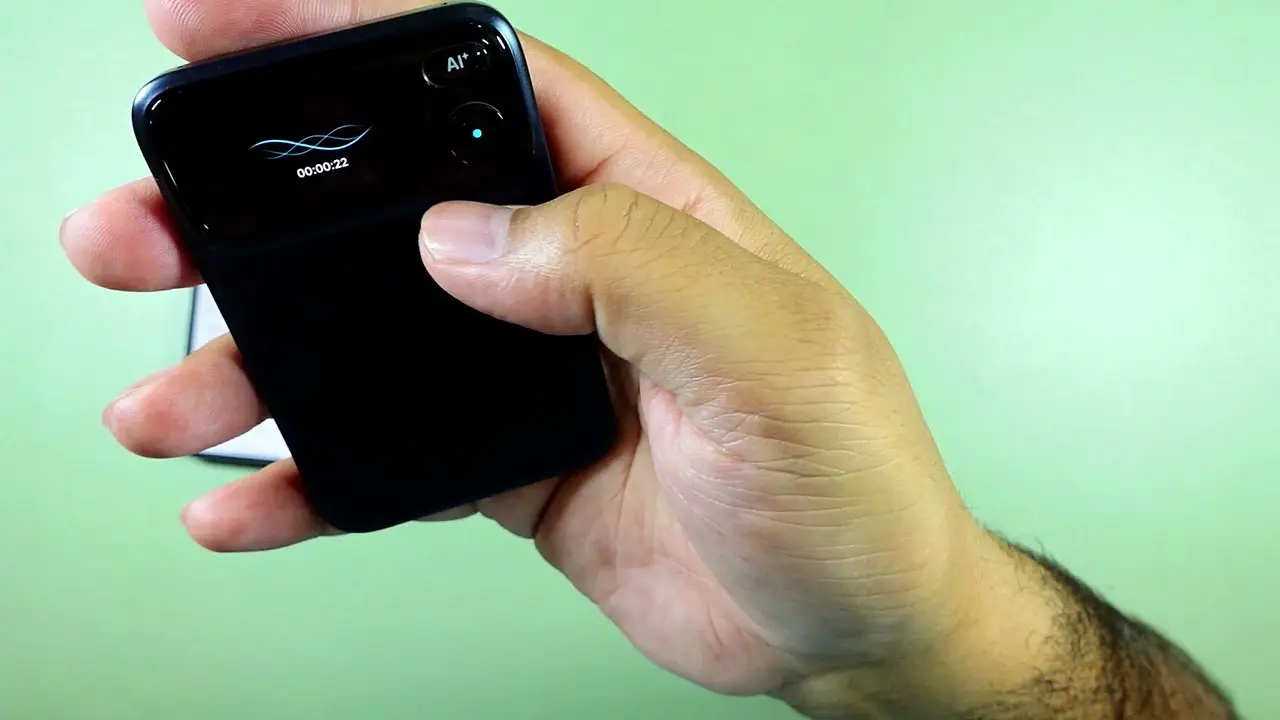
I've used recording devices that rely on a beep. I much prefer being able to see the recording time and status on this little OLED screen. The animations are nice, but the useful part is knowing what the recorder is doing.
The recording-button indicator stays on when the screen sleeps. A single press pauses the recording, another resumes it, and a long press ends it. Seeing Saved afterward matters when I've just captured an idea I don't want to lose.
The device also feels premium and solid without being heavy. Its rounded edges are comfortable to hold, the buttons have a polished click, and USB-C charging means I can use a normal cable.
Battery life and storage are separate
Comu claims up to 70 hours of recording per charge. I did not measure that runtime. The Japanese distributor's launch announcement lists 16GB of onboard storage, which is a separate capacity specification.
I couldn't verify a total recording-hours figure for that storage, so I wouldn't treat the battery claim as the amount of audio it holds.
Useful recordings and summaries at home
Connecting the recorder to my phone was smooth. The app identified it, paired with it and was ready to use.
My English recordings at home sounded good, and the summaries helped me keep track of projects I wanted to work on. That is the workflow I tested; I can't judge busy environments or other languages from it. You can also export audio if you want to use another service.
The companion app feels like a full AI assistant, with chat, slide, email and document tools, plus calendar and email connectors and firmware updates. I didn't generate slides, emails or documents, or test translation, so I can't judge those outputs.
Two software details I'd change
In my use, I had to manually ask the app to generate a transcript. I expected it to be ready after syncing, and that extra step felt unnecessary.
The dedicated AI button was hit and miss too. Some requests stayed on Receiving instead of completing promptly. I may have misunderstood part of the workflow, but it wasn't as immediate as I wanted.
Starter was useful, but some tools prompted an upgrade
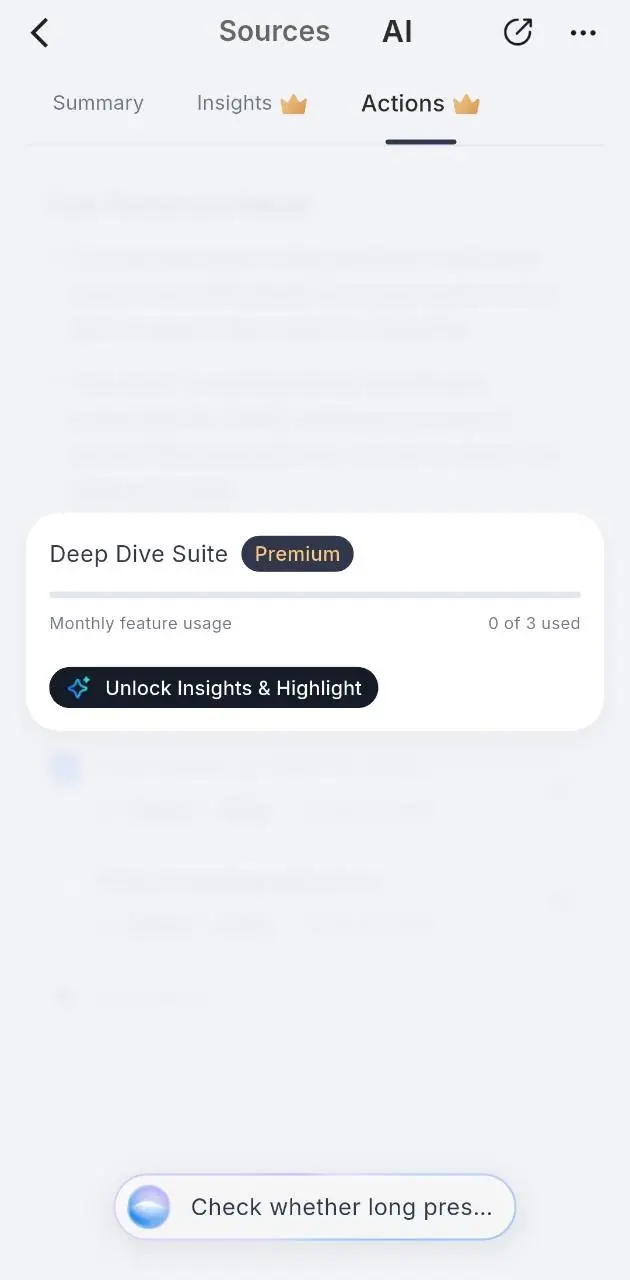
The basic transcription and summaries were enough for my idea notes. In a recording's AI section, however, some deeper insight and action options showed Premium prompts. I would budget for a paid plan if those tools were important to my daily work.
I stayed on Starter and haven't compared paid models or their accuracy. The prompts I encountered also don't establish that every advanced feature is unavailable to every Starter user.
Verdict
I liked using the Action Pro, particularly its comfortable hardware and visible recording feedback. At around $160 when I prepared this review on October 8, 2026, I would recommend it if you regularly capture ideas and want a dedicated recorder with clear controls. Around $100 would be my sweet spot, but I still prefer this design to the screenless devices I've used.
If automatic transcription or instant AI commands are central to your workflow, the two software issues I encountered deserve more weight in your decision.
Where to buy
This article contains affiliate links. If you buy through them, I may earn a commission at no extra cost to you.
Is this for you?
Who it’s for
People who regularly capture ideas or project notes and want a dedicated recorder with visible recording controls.
Who should skip it
Less suited if automatic transcription, immediate AI commands or access to deeper AI tools without a paid plan are central to your workflow.
Price & comparison
Around $160 in the US when I prepared this review on October 8, 2026; around $100 would be my preferred price.
Price as observed 2026-10-08; may have changed since.
Watch the review
Open on YouTubeDisclosure
The hero and Saved image are frames from Tech With RR's own hands-on recording demonstration. The app screenshot was supplied by Ramiz from his Starter-plan testing; its recording content is blurred.
This review contains an affiliate link. See our affiliate disclosure for details.