TCL NXTPaper 70 Pro review: a $200 Android phone whose paper-like screen is not a gimmick
TCL NXTPaper 70 Pro review: I put the anti-reflective, flicker-free screen next to a Samsung and an iPhone, then used it for daily apps, battery, cameras and the NXTPAPER key.
Published November 6, 2026
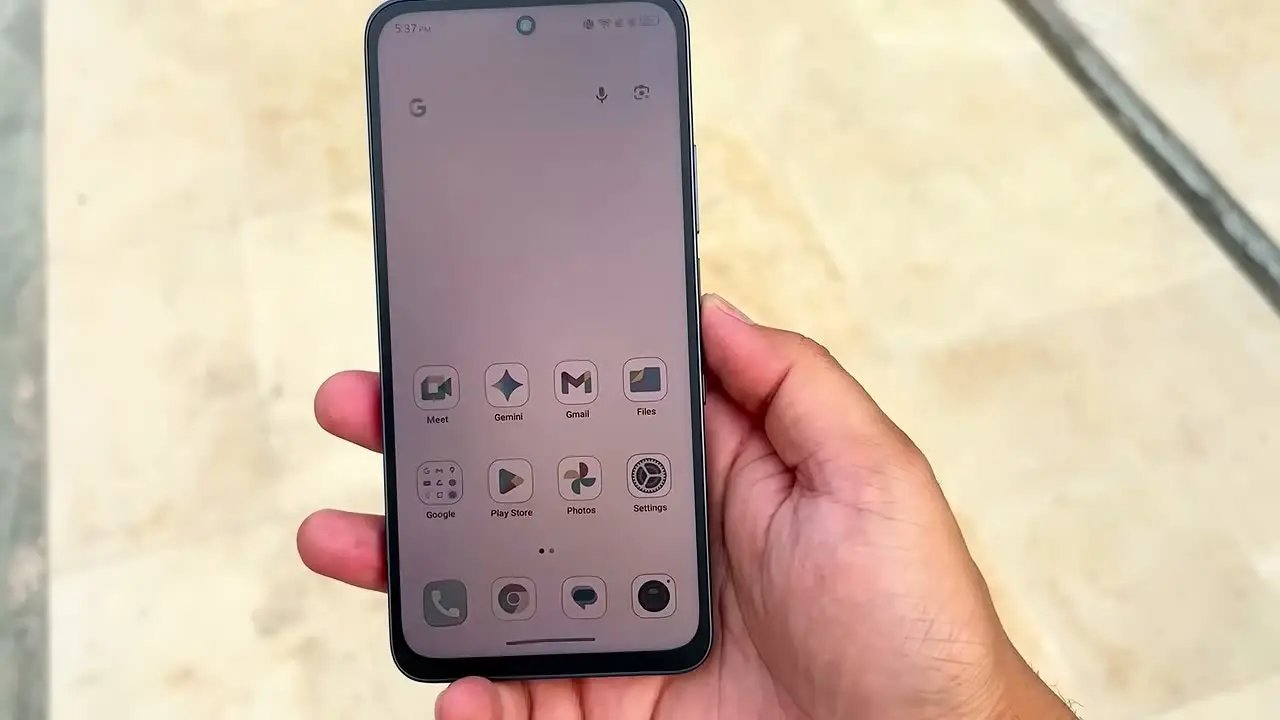
Tested context
Limited hands-on testing of a unit, filmed for my review. I compared the screen against a Samsung phone and an iPhone under the same lights, checked flicker with a Sony camera, tried it in direct sunlight, used the NXTPAPER key modes, and ran everyday apps (Gmail, Slack, Chrome, YouTube, social apps, camera, multitasking). I did not test heavy games, did not measure charging times, and the unit had 128 GB of storage with 8 GB of RAM.
Verdict
The screen is the reason to buy it. The anti-reflection, the paper-like feel and the flicker-free behavior all showed up in my testing, and the rest of the phone is better than the roughly $200 price suggests: clean build, clean software, smooth daily performance and a full day of battery. It is big, it is not a camera phone, and the speakers are treble-heavy.
Pros
- The screen genuinely reflects less than a Samsung phone or an iPhone under the same lights
- No visible flicker on my Sony camera, where the Samsung and iPhone both flickered
- NXTPAPER key switches between normal, color paper, ink paper and max ink modes
- Clean, near-stock Android with no major bloatware or lag in my testing
- Easily a full day of battery for me, even with heavier use
- Micro SD, NFC, an IR blaster that controlled my AC, and a side fingerprint scanner
Cons
- Big 6.9 inch phone: I needed two hands at times, so it is not for small hands
- No charger in my box and no headphone jack
- Less punchy than a flagship OLED, and night photos show it is a budget camera
- Speakers are loud but treble-heavy, without much warmth or bass
This TCL NXTPaper 70 Pro review is about one question: is the paper-like screen real, or marketing? I wanted to test this phone because the display tries to solve a different problem from the usual "brighter, smoother, more colorful": make a normal Android phone easier on the eyes and more comfortable to read on. After using it, I think TCL has done something genuinely interesting, at around $200 through T-Mobile and Metro by T-Mobile and around $300 unlocked.
Watch the full video review on YouTube.
In the box and design
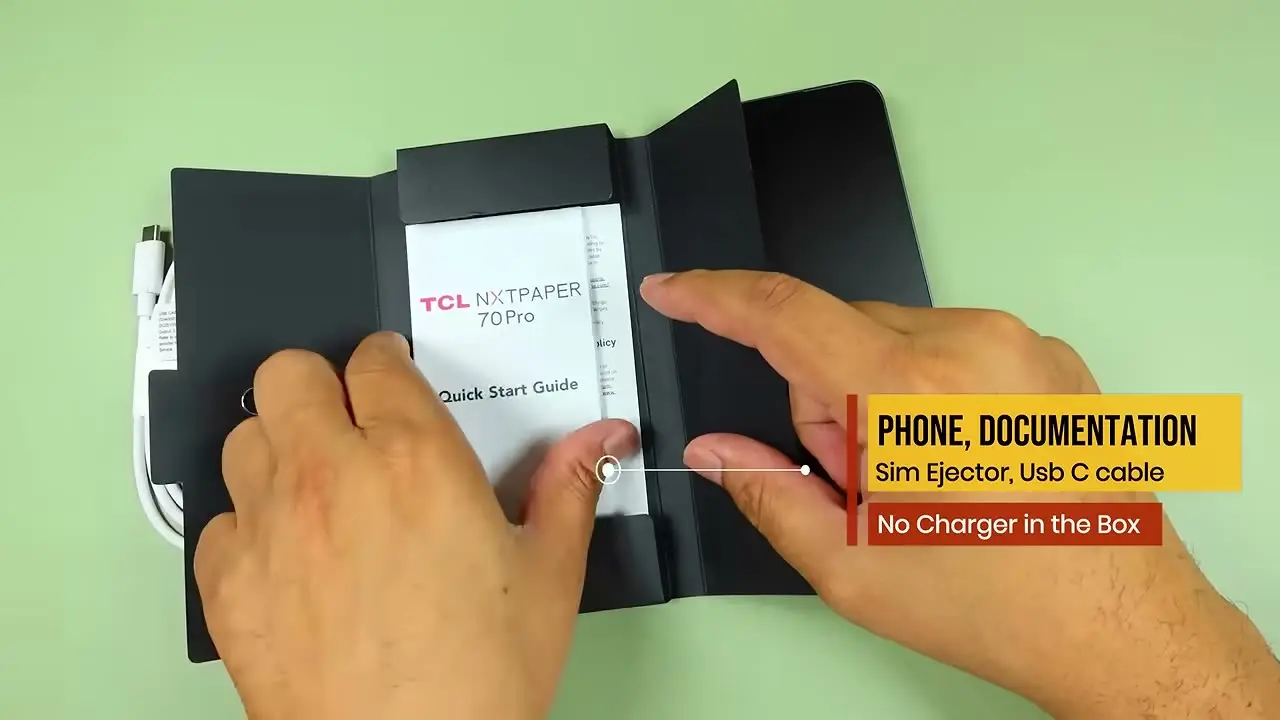
My unit was pretty basic: the phone, some documentation, a SIM ejector tool and a USB-C cable. There was no charger in my box.
For the price it looks cleaner than I expected. The back is simple and does not pick up fingerprints easily, which keeps it looking clean in daily use compared with glossy budget phones. The build feels solid, not like cheap plastic.
Size is the thing to know before buying. This is a big phone with a 6.9 inch display, and even with my hands I sometimes had to slide it around or use two hands. If you prefer compact phones or have smaller hands, it is probably not the most comfortable option.
You get USB-C, micro SD expansion, NFC, an IR blaster, dual speakers and a side fingerprint scanner. There is no headphone jack. The IR blaster is a nice extra: I tested it with my AC and it worked.
The screen
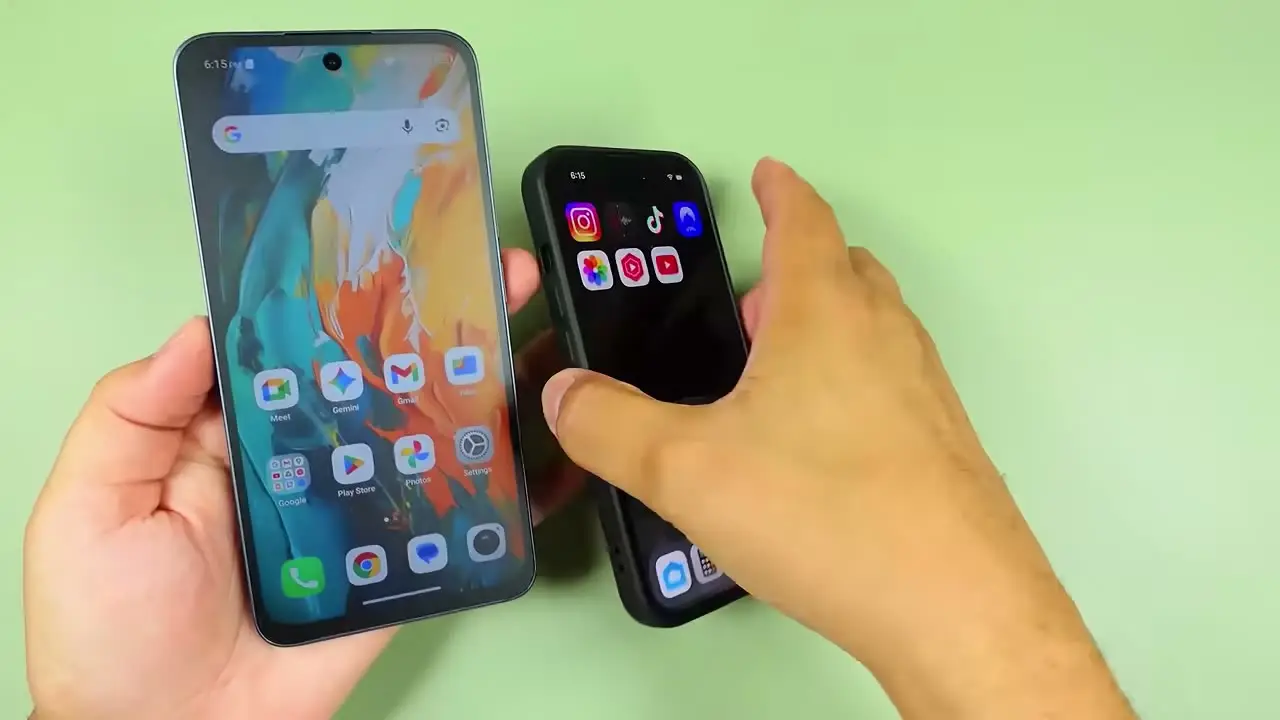
The display is the main story: a 6.9 inch FHD+ NXTPAPER display at 120 Hz. TCL claims it is anti-reflective, paper-like and flicker-free. Claims like that usually sound like marketing, but in my testing they were visible.
I placed it next to a Samsung phone and an iPhone under the same lights. Both of those clearly showed reflections from the lights above them, and the TCL barely showed any. Then I checked flicker through my Sony camera. The Samsung and the iPhone showed visible flicker on camera. The TCL did not. That is when the display stopped feeling like a gimmick: it feels softer, less reflective and easier to look at for long periods.
If you are used to flagship phones you may notice it is not as punchy or bright as a premium OLED. After using it for a while that stopped bothering me, and at some point I forgot I was testing it. I also tried it in direct sunlight and could still use the phone, better than I expected. In my testing, sunlight was not a dealbreaker.
The NXTPAPER key
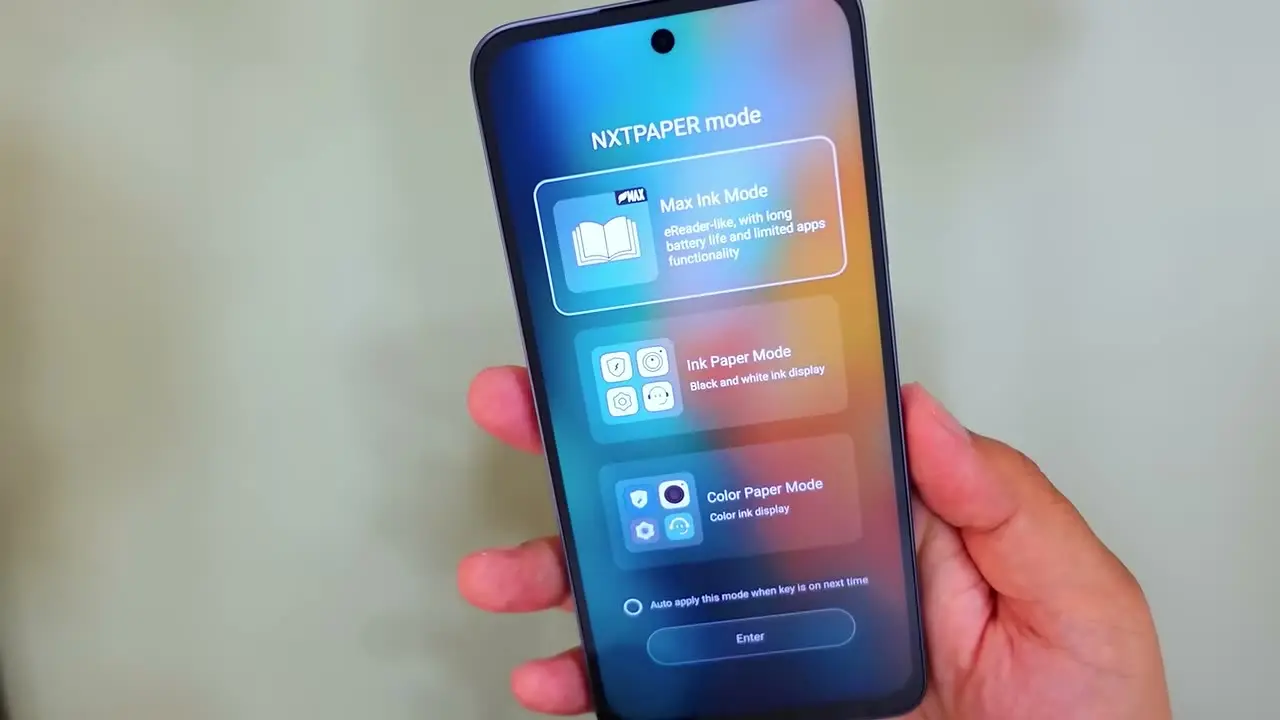
The NXTPAPER key switches between normal mode, color paper, ink paper and max ink. I use normal mode most of the time because this is still a phone, but the others are not useless. Color paper and ink paper make sense for documents, magazines or graphic novels. Max Ink is a reading-focused battery mode that limits what the phone is doing and makes it feel more like a reader. I can see myself using it to read a book or when battery is low and I only need a few apps. For the right user it is genuinely useful.
Software and performance
The software is closer to stock Android than the cluttered budget-phone software I expected. In my limited testing I did not run into major bloatware, annoying notifications, crashes or weird lag. It runs Android 16, and my unit had 128 GB of storage with 8 GB of RAM plus extended RAM, which I could not really feel in use.
Gmail, Slack, Chrome, YouTube, social apps, the camera and multitasking all felt smooth. On the AI side, Circle to Search is here, which is the one I care about, and Gemini is available. TCL has other tools like translation, subtitles and voice memo, but they are secondary: the screen is the reason to buy.
Performance comes from the MediaTek Dimensity 7300, a mid-range chip. I would not buy this as a gaming-first phone and I did not test heavy games, so this is not a gaming review. As a daily phone, with 120 Hz and smart refresh on, I did not notice stutters.
Battery and charging
The battery is 5200 mAh and for me it was easily a full-day phone, even with heavier use. With lighter use you can push it further, and max ink mode should stretch it more. Charging is rated at 30 W. I did not measure exact 0 to 50 or 0 to 100 times, so I will not give you numbers, but I plugged it in at around 25% and it was full sooner than I expected.
Cameras and speakers
Keep camera expectations realistic. For the price, they are quite decent: daylight photos looked trustworthy, color reproduction was good and not heavily overprocessed, and indoor photos and skin tones were decent. Night mode is where you can tell this is a budget phone. Close-up focusing was not as close as I expected, and overall this is not a camera-first phone.
The speakers get loud without distortion at full volume, but they lack warmth and bass and sound treble-heavy, especially for music. Call quality, microphones and haptics were all good for the price.
Who should buy the TCL NXTPaper 70 Pro
If you want a big phone that feels smooth, has strong battery life, a clean build and a genuinely different screen, this is worth a look. The anti-reflection, the paper-like feel and the flicker-free behavior showed up in real testing. If you want a compact phone or put the camera first, spend more or look elsewhere.
Where to buy
This article contains affiliate links. If you buy through them, I may earn a commission at no extra cost to you.
Is this for you?
Who it’s for
People who read a lot on their phone, are sensitive to glare and screen fatigue, and want a big, smooth, long-battery Android phone around $200 to $300.
Who should skip it
Skip it if you want a compact phone, a camera-first phone, a gaming phone, or the punchy brightness of a flagship OLED.
Watch the review
Open on YouTubeDisclosure
All images are frames from my own Tech With RR review video of the TCL NXTPaper 70 Pro I tested.
This review contains an affiliate link. See our affiliate disclosure for details.